You know that perfect cup. Now you can make it again.
Track every bean across every method you brew. V60 in the morning, espresso after lunch, AeroPress on the weekend — all one app, all dialed in.
Works with MCP-Compatible AI Assistants
AI-Powered Features
Most coffee apps log brews. BrewLogica tracks beans across every method you own, manages multiple bags at once, and uses AI to find what works.
One Bean, Every Method
Same Ethiopian as V60, espresso, and AeroPress. Each tracked independently. See which method wins.
Multiple Beans, One Dashboard
Three bags open? Five? Track rest days, freshness, and ratings for each — no juggling spreadsheets.
Equipment Tracking
Log your grinder, brewer, and kettle per brew. Find which combinations produce your best cups.
AI Brew Parsing
Say "18g in, 36g out, 28 seconds, a bit sour." AI captures the rest.
Label Scanning
Snap a bag. Roaster, origin, process, tasting notes — populated instantly.
Brewing Insights
Spot trends across beans, methods, and gear. See what actually makes your best cups.
Smart Suggestions
AI dial-in advice per bean, per method. Based on your data, not generic recipes.
Equipment Scanning
Photograph your grinder or brewer. AI identifies it and adds it to your library.
MCP API Access
Claude, Cursor, Windsurf — your AI assistant reads and writes your coffee data directly.
See It in Action
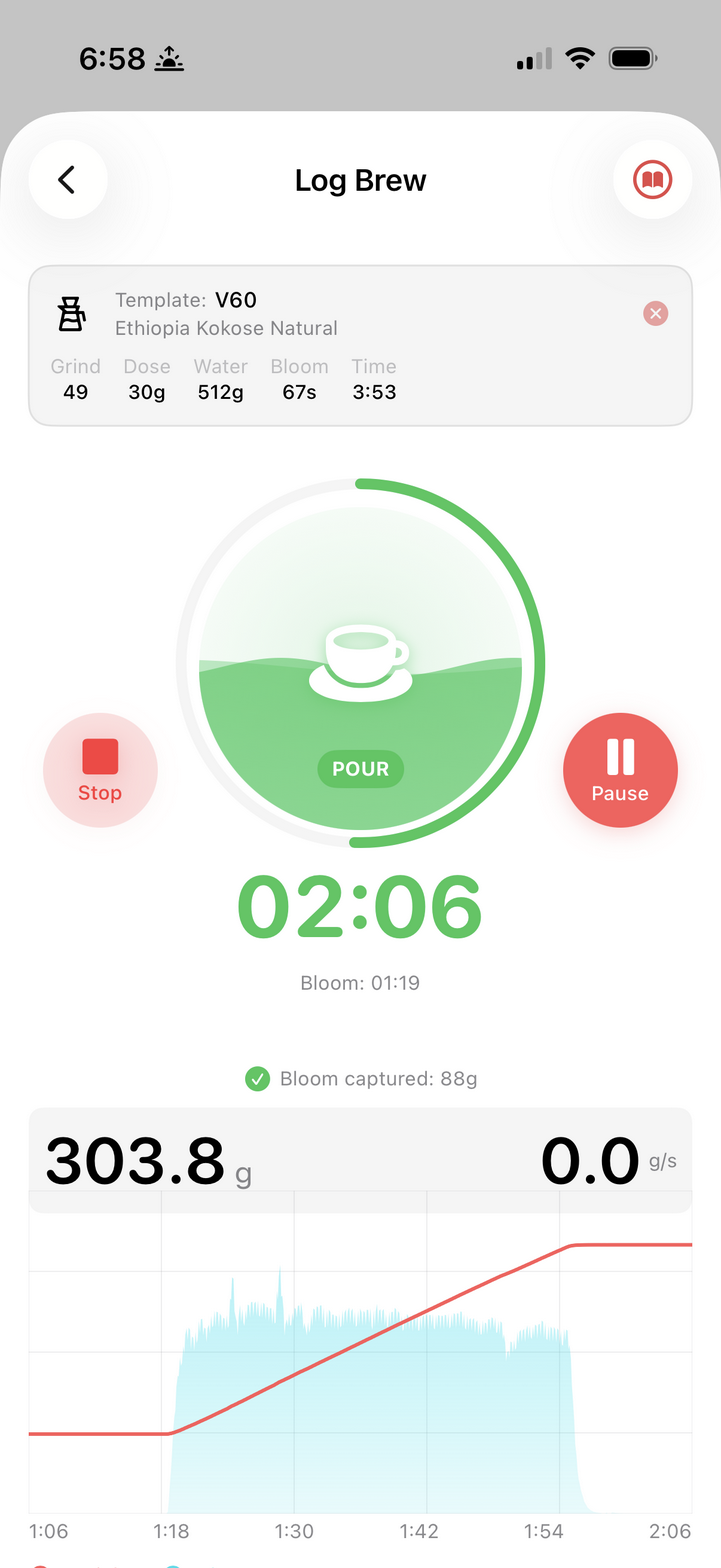
Real-time scale integration tracks every pour
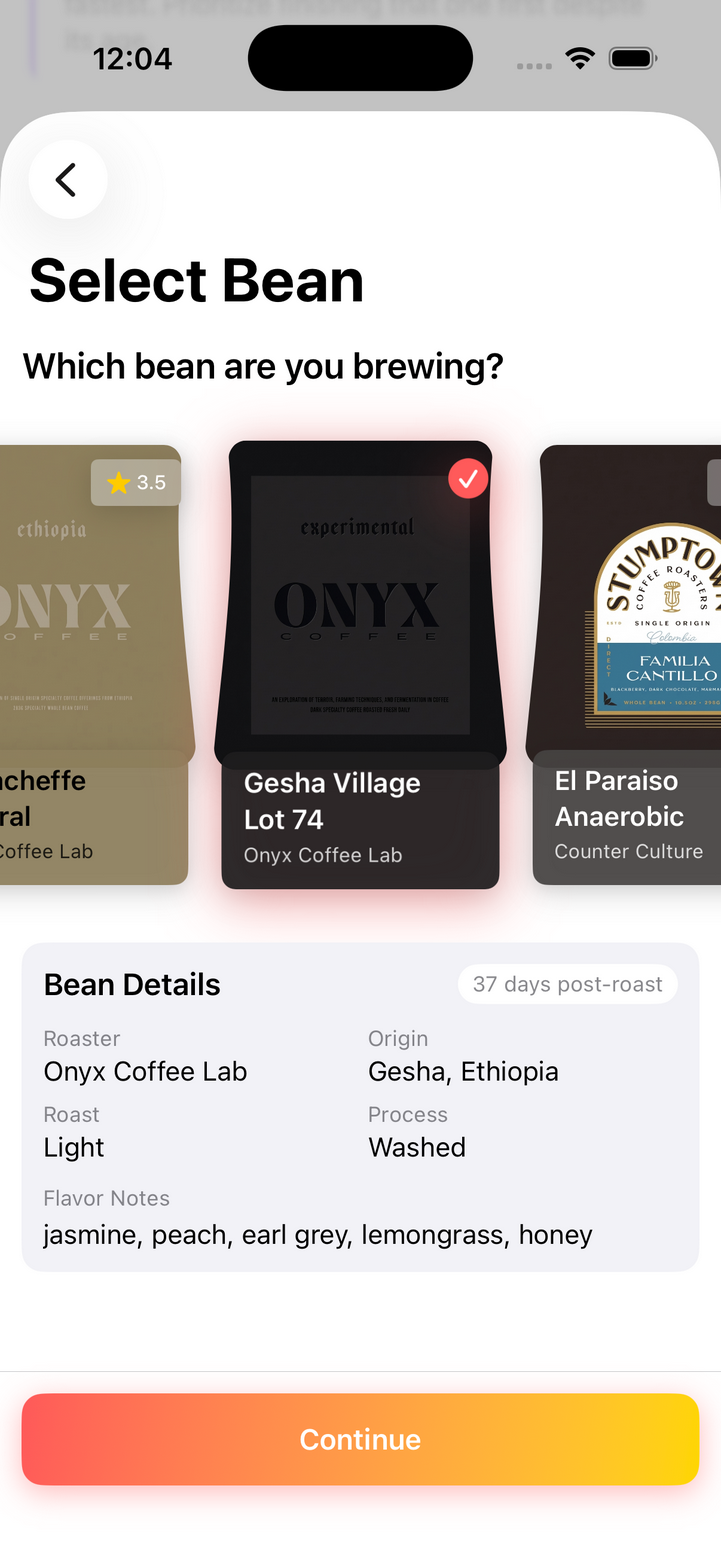
Select a bean and details populate automatically
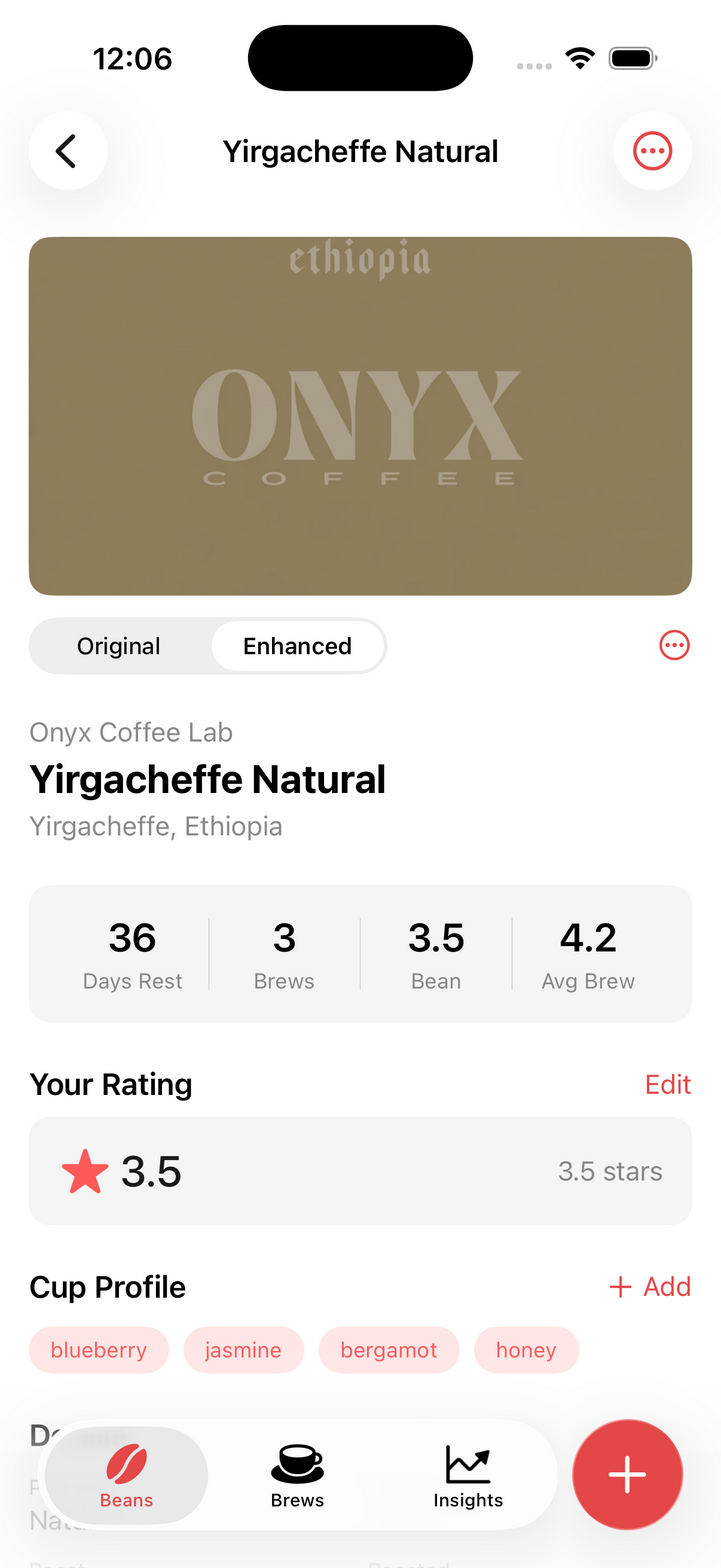
Rich Bean Profiles
Track rest days, brew count, and ratings across every method you use. See which method brings out the best in each bean.
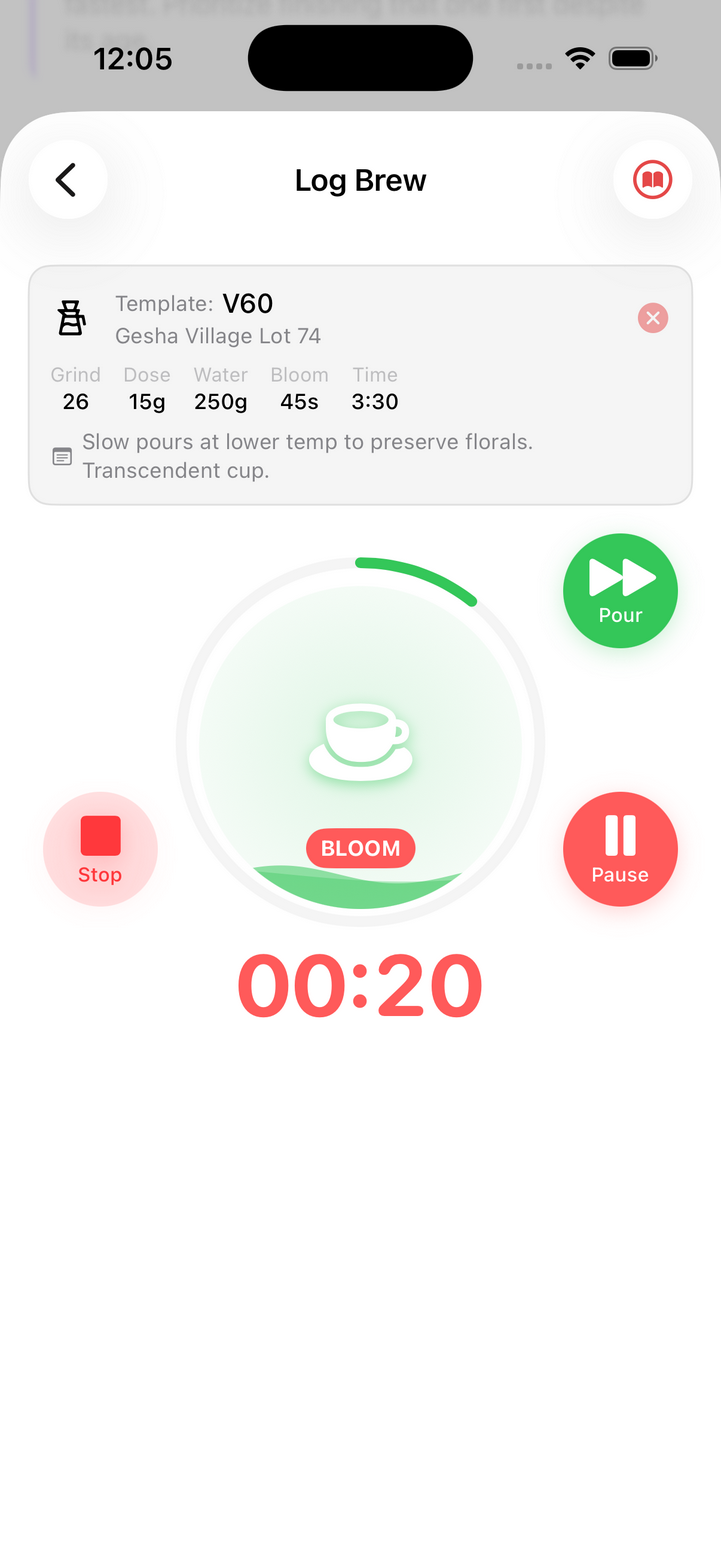
Guided Brewing
Recipe tips appear at the right moment. Slow pours, bloom timing—nailed.
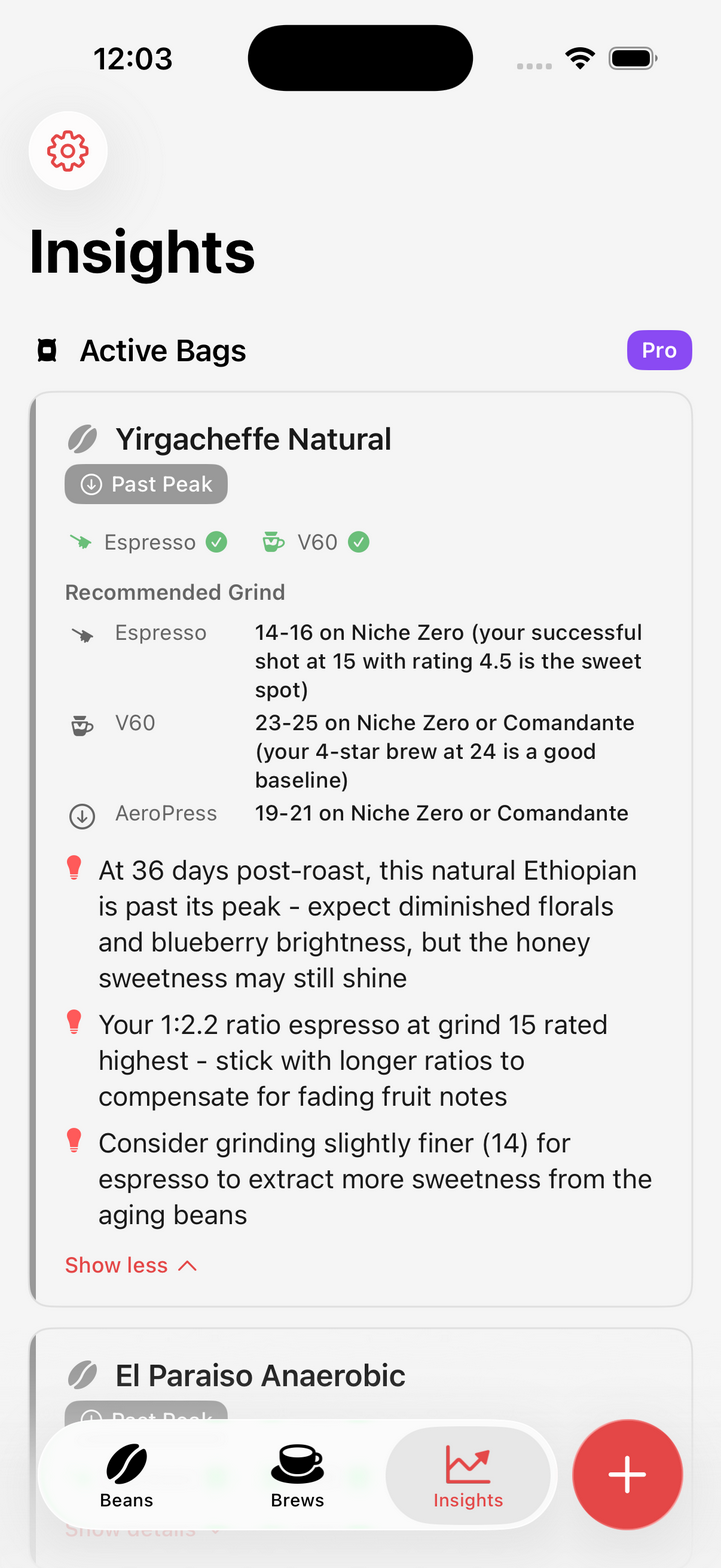
Smart Insights
AI spots patterns you'd miss. This Ethiopian peaked at day 14—time to dial finer.
Simple Pricing
Start free and upgrade when you need more AI power.
Free
Essential tools for every coffee lover
- Unlimited brew logging
- Bean library management
- Sync across your iOS devices
- Basic brewing analytics
Pro
Unlimited AI features for serious enthusiasts
- Everything in Free, plus:
- AI Brew Parsing — voice or text to parameters
- Label Scanning — snap a bag, get all details
- Smart Suggestions — AI-optimized parameters
- Equipment Scanning — add gear with a photo
- MCP API Access — connect AI assistants
- Priority support
Pro subscription billed annually through the App Store. Cancel anytime.
Frequently Asked Questions
What is BrewLogica?
BrewLogica is an AI-powered coffee logging app for iOS built for people who brew with multiple methods and juggle multiple beans. Track how the same coffee performs across V60, espresso, AeroPress, and more — each with its own parameters and equipment. It features a guided brew timer, bean profiling, roast rest tracking, and AI-assisted brew parsing. The Pro plan adds MCP API access so MCP-compatible AI assistants can read and write your coffee data.
Is BrewLogica free?
Yes. The Free plan includes unlimited brew logging, bean library management, sync across your iOS devices, and basic brewing analytics — forever, no credit card required. The Pro plan ($49.99/year) adds AI brew parsing, label scanning, smart suggestions, equipment scanning, and MCP API access.
What brew methods does BrewLogica support?
BrewLogica supports pour-over (V60, Chemex, Kalita Wave), espresso, AeroPress, French press, cold brew, moka pot, siphon, and more. The key difference from other logging apps is that BrewLogica tracks beans consistently across all these methods — you can brew the same Ethiopian as a V60 and an espresso and compare results side by side. Each method has a guided timer with phase-specific tips.
What is MCP API access?
MCP (Model Context Protocol) lets AI assistants connect directly to your BrewLogica data. With a Pro subscription, you can generate API tokens and use MCP tools to log brews, search beans, track roasters, and query your coffee history — all through natural language via Claude, Cursor, or any MCP-compatible AI assistant.
What platforms does BrewLogica support?
BrewLogica is available on iOS. The web interface at brewlogica.app provides API token management and documentation. MCP API access works from any platform that supports the Model Context Protocol.
How does BrewLogica handle my data?
Your coffee data is stored securely and synced across your devices. MCP API access requires explicit token generation — no AI assistant can access your data without your authorization. You can revoke tokens at any time. See our privacy policy for full details.